Garuda Linux is finally installing on laptop

menuentry "Partition Garuda KDE" {
  insmod ext2
  insmod gzio
  insmod part_gpt
#  set iso_path="/BOOTISOS/garuda-mokka-linux-zen-260309.iso"
#  export iso_path
#  search --set=root --file "$iso_path"
#  loopback loop "$iso_path"
#  root=(loop)
  search --no-floppy --set=root -l 'GARUDA_MOKKA_BROADWING'
  configfile /boot/grub/loopback.cfg
#  loopback --delete loop
}

Had to use dd, and put it on a partition. It can’t find root, if trying to boot the ISO. Maybe the openSUSE Grub2 is too old, or they did funny patches to it.

No SWAP will be on it, not good for SSDs.

No idea why I had a SWAP on the Atari VCS either.

Linux works just fine with 8 GB of RAM, and 2 GB reserved for GPU. macOS, will likely swap a lot, with only 8 GB of RAM.

Apple should have all Macs come with at least 32 GB, since their OS sucks.

Another problem with this 7Artisan lens

Apparently, the aperture gets changed, sometimes when focusing.

Well, I think infinity works anyways.

No idea what the aperture was on some of the dark photos, I do know the shutter speed was probably wrong though.

I like the photo I took of the sun shining on a tree. That was taken after dinner. Probably was easier to take those.

The screen doesn’t appear bright enough. Nor is the viewfinder. At least if it’s a certain amount of bright outside.

Might be a add on viewfinder I could get though.

Also, don’t order anything from SmallRig’s website, they apparently want $10 for shipping a camera strap. Free shipping on eBay, and a coupon. And might be from SmallRig as well. Or somebody used their name on eBay.

I like the strap I have for my Panasonic camera better. It was a used camera, and came with no strap. The stock straps apparently suck.

Rope is better, just ask a lady.

I’d recommend saving the RAW image too. Especially with manual lenses.

And you might find out, you’d rather process them yourself. Too lazy to change camera settings. I could just save only the RAW image instead.

I use noise removal on the low end, better then making the image soft.

Also, reviewing photos on the camera screen inside, not very helpful.

And why did I have to move a lever to get the camera to change the damn shutter speed with a dial? Probably won’t change aperture now, unless I switch it back.

Well, good news, that’s my outdoor camera, with a manual lens on it. Don’t plan on putting an auto focus lens on it either.

Might have found one viewfinder, from OM-System. But it’s $200 new. Too expensive for an old camera. No idea if it works with mine either.

Says it’s compatible with cameras with a hotshoe. So even my old Olympus camera? Before OM-System bought them.

Does a third party make one?

Should see if I can change the brightness. But even if I can, that might not help much. Might still suck.

Don’t see the point in buying a new camera, for a manual lens either.

Why does Valve make a dock for the Steam Deck?

There’s a good chance their dock won’t do 4k 60Hz on my TV either.

Maybe Bazzite has an issue on my Steam Deck. Well, I try searching, and find nothing.

Had to make another script, to fix it, after the TV has been off.

The Atari VCS works though, without doing anything special I think.

Steam Deck has better hardware, the only reason to try using it instead of the Atari VCS.

Maybe this Amazon sold only dock sucks.

Some people use an EDID emulator. Then you have to find one that’ll work.

Found some script to install a custom EDID file, and that didn’t solve anything either. I just got the EDID from the Deck, when it’s working @ 4k 60Hz.

Don’t want the password prompt to show on TV? Well, set the video= cmdline argument, to 1280×720.

Not sure why I set an encryption password for the drive. Kind of a pain.

Also, this wireless USB keyboard, only works in a different USB port on the dock. Otherwise, there’s a massive delay. Is that the dock? If so, then the dock has one USB port with issues.

Changed the batteries, didn’t fix it. Changed USB port and now it’s fine.

I wonder how much this Steam Deck is worth. Is the RAM removable? 16 GB of RAM brand new, is pricey nowadays.

32 GB of RAM, some costs $400.

I think I have my laptop’s old 16 GB of RAM in my desk. Find a cheap mini PC with no RAM, and put it in it. If it has no drive though, that’s a bummer. Well, use the Atari VCS external SSD then.

Or just go back to using the Atari VCS.

What kind of SSD does the external SSD have in it?

If the SSD can be removed from the enclosure, then no need to buy a drive.

Does Bazzite work on the Atari VCS?

Hmm, might have been having an issue with the Atari. Don’t remember what though.

Oh might have been the HDMI audio. Plug the USB sound thing into the Atari then. Now to see which image I need for the Atari of Bazzite.

Don’t have to install Steam in Bazzite, it comes with it. Only want it mostly for using my controller as a mouse though, and on screen keyboard.

Apparently if you select HTPC, it will download the Deck image. Well, I already have that, so I’m good to go.

Is there anything I want on the Atari VCS? Cause I’m too lazy to look on it. So I think I’ll just format the external drive.

Bazzite is even better on the Atari VCS, boots to a nice black screen.

Going to try some other Linux on the Steam Deck.

Garuda Linux might work. But I don’t want a macOS like dock. If somebody wants a Mac, get a Mac. Guess that means XFCE. Which means Xorg, which might fix the problem anyways.

Also, too lazy to install something else on Atari VCS. And the stock OS won’t boot anymore. Don’t care though. It can sit unplugged, until I find use for it.

Well, can’t install anything on Deck, with that keyboard and mouse, too laggy. Either a dock issue, or a power issue, but that laptop charger should provide enough power.

Put Garuda Linux on Atari VCS, works fine so far. I’d put it on desktop too, but too lazy.

Steam Deck and/or dock, must mess up my receiver and/or TV. Atari VCS wouldn’t get a picture. Turned every thing off, and unplugged the Atari yet again.

Probably need an EDID emulator, to use Steam Deck with TV. But that won’t solve the keyboard and mouse not working. Don’t know what dock works correctly. Won’t pay $80 for Valve’s either.
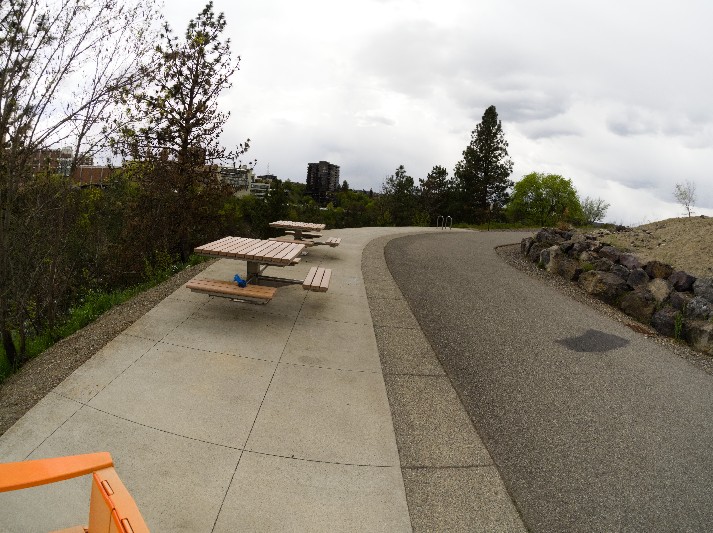
7Artisans 7.5mm F2.8 Ⅱ

Not sure if Infinity on the focus ring is correct. But good news, I don’t look at the ring when focusing anyways. And not going to mess with screws to “fix” it.

That’s the risk with cheap manual lenses apparently.

I don’t approve of Geometric distortion correction. Don’t want wide trees.

You can find their lens profiles here. If you have no Adobe crap, you can use the LCP profile in RawTherapee. I tried converting it with the LensFun script at first. But not compiling a newer LensFun. Might require then recompiling digikam.

No GPU acceleration, but doesn’t take long anyways.

Sometimes, the left side of the image doesn’t look very good. One image, that has a building with words on it, the words aren’t in focus. But I wasn’t focusing on that anyways.

Probably didn’t actually need to use f8 either.

I only remove the shade or vignetting. Easy way to make it brighter. Except, some of the images might look better with the shade. But easier to save a profile, and apply to all the RAW images.

And why are some of the images too dark?

How about because the camera thought 1/5000 sec was a great idea. Well, need to change camera to the S on the dial, instead of A. Can’t change aperture with the camera anyways.

And the image with the words not in focus, was 1/4000 sec. Probably the problem. But, it made the clouds look really cloudy. More cloudy then it probably was. Good photo of the sky. And now it’s brighter outside.

That’s the only motivation I have to go on a walk. Now I have to walk too far to take photos. Unless I just want to take the same photos every time.

One person on the path, was apparently walking by me, when focusing on a far away building. Luckily, I didn’t take their photo. I don’t take photos of strangers.

1/800 sec is too bright, without shade. ISO was 400 for all photos. Leave it at that, cause it’s the outdoor camera.

If I go to Amsterdam, I could take some night photos though.

1/2500 sec might have been a good shutter speed.

Apparently the camera can’t calculate the right shutter speed. I’d rather use the same shutter speed for the photos I was taking.

Also, I have only one requirement, the river should be in focus. Well, apparently, that isn’t the case with infinity focus.

The resize thing in Nomacs is annoying, just a “scale”. I’d rather enter a number.

OLYMPUS DIGITAL CAMERA

That’s the only photo I can share. Somebody left a nice bag there.

Might need their 6mm f/2 .0 lens. It’s $200, does that mean it’s sharper? I wouldn’t use it at f/2.0, unless I was taking photos of an outdoor night orgy.

Meike has a 6.5mm f/2.0 lens for $120. I had to send a lens from them back once though. It was broken. And that’s the one I sent back.

Could get lucky. Couldn’t really test it much.

Too much fish eye with the Meike. There is a good photo on Amazon, you can see hair on her face.

I think some people like the TTArtisan 10mm F2. Might make more sense, then a 6mm. Then I don’t have to stand as close to the cliff.

If you look at images on Amazon reviews, that takes some good photos. But they probably used the correct shutter.

And not great for astrophotography, which is a bummer, cause it’s f/2.0.

There’s cheaper 10mm lenses, not f/2.0 probably. But if it has a star effect, why would I want to use it at night?

7artisans 10mm F3.5 is only $100. But might not be great, for outdoor night orgies.

It’s smaller then the 7.5mm though. That would be a good reason to get it.

Need a smaller camera bag, but can’t find one I want. I had a small camera bag or pouch. Might have been too small though.

I’m too lazy to look at every page on any site.

Not all Amazon drivers, drive very good

If the regular car, didn’t see that Amazon van, they would have got rammed.

Too bad I didn’t film that.

The PS5 should be good to go. Was going to go through the setup, to make sure my account isn’t on it. Had to unblock the Sony domains to reset it. Cause it forced me to update it. Might not unlink my account from it, if I don’t. Well, maybe I could have just deleted my PlayStation account.

Might be worth nothing now though.

I looked up two or three PS4 games I have on GameStop, and they are all $3 or less. Didn’t bother looking anymore games up after that.

Only have two PS5 games. Don’t know if I had any digital ones. Had digital upgrades probably.

Can’t sign in apparently. Don’t apparently have the PassKey.

“The connection to the server timed out.”

Well, can’t sign in to my Sony account. Was going to see, if I can delete it.

The account recovery worked on my phone. An extension, might have blocked it on my desktop.

0 activated consoles. Will probably still plug PS5 in, and make sure.

Also, need to plug the original controller in, to see if it charges.

PlayStation License Check In

The PS5 keeps getting better.

If I could put Linux on it, I’d probably keep it.

But I’m not paying $70 for video games, especially ones infested with DRM.

That’s why GOG.com exists. I’ll only buy games from that site from now on.

How long until The Outer Worlds 2 is on there? I beat the first one.

Might have the PS4 version of that game. No point in buying it again. I’ll wait for 2.

I had it on the Xbox Series S too, I got the DLC on that.

New video games are a rip off.

Where did under voltage warnings go on Raspberry Pi 5?

Maybe this short Anker cable solved the problem. It’s a Mophie universal power station. Claims to do 45w output. Before, when booting, it would say that.

Don’t remember which Anker cable. Pretty sure I gave somebody money to buy it, I have no prime.

Guess I didn’t test it much after I got the cable, probably cause I went to funny farm.

Cool, it only needed a new short cable. No PD converter crap.

Installed Sunshine on desktop, so now I can sit on loveseat all day.

It might be this one.

According to the docs, it only needs 3A, unless you use a bunch of power hungry USB devices. Apparently the screen, and the receiver for keyboard doesn’t use much power.

And that Mophie battery won’t power it all day. Also, why does DietPi recommend 300 for the minimum frequency for the CPU, but set it to 1500 by default?

I changed it to 300.

Changed the fan settings too. If I put my ear close enough, I can hear it now. The fan on AC is too loud.

Best feature of Sunshine, is having to wake monitor up to use it. I disabled the turning off of the TV on the Steam Deck.

But won’t do that on my desktop.

Instead I get to ssh into it and run kscreen-doctor –dpms on.

Setting that as a command on the Steam Deck didn’t work, so didn’t try on desktop. Think it can use a virtual display, without assigning a EDID to one of the ports. But I’m too lazy to go on desktop. Easier to run that command over ssh.

The battery is charging. I’ll just use AC adapter at home. I have a big power station, that could power it longer.

Need a bigger screen. And a bigger box. Want to keep this screen too. Not sure how big of a screen I need either.

Can’t post my fan settings, copy and paste doesn’t work with Moonlight apparently.

And DuckDucKGo, doesn’t have a clue what I was searching for. Search engines keep getting smarter and smarter.

I think using SSH, I could open Wayland apps. But too lazy to remember anything.

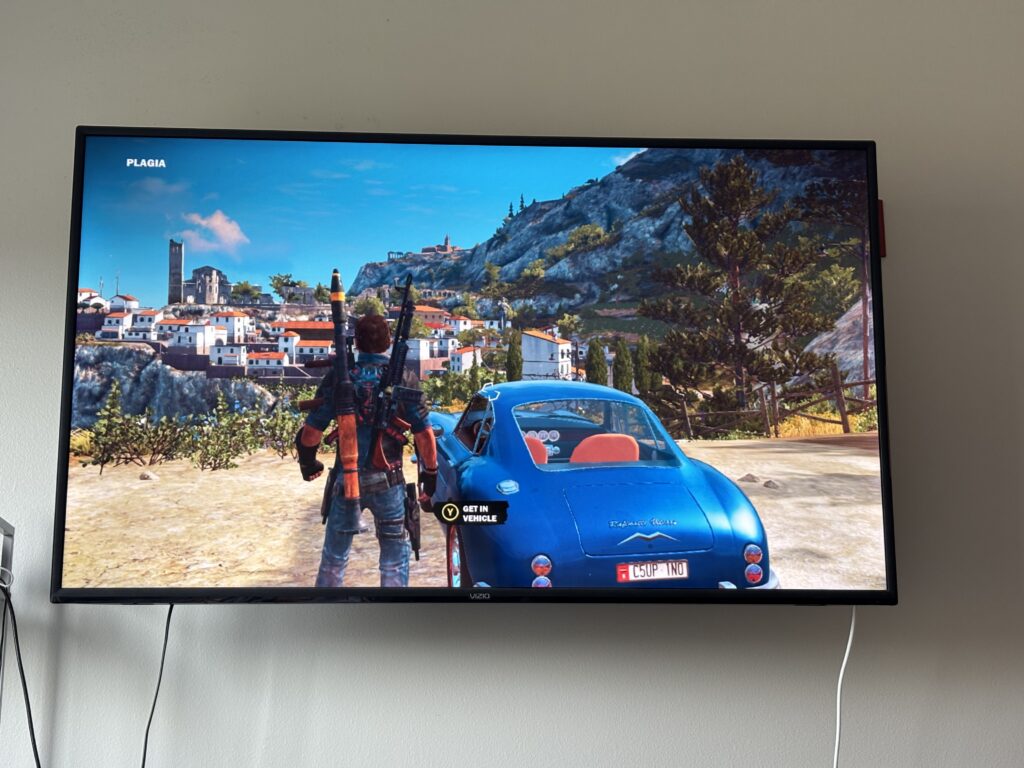
Just Cause 3 works on Steam Deck

At least with Bazzite. What might have fixed it, was verifying the files.

Should have done that to start with. Instead of trying to remove the DRM. And use something else to launch the game.

First time seeing Just Cause 3 running on my Steam Deck.

How many times did I try deleting the Proton prefix when it had SteamOS on it? Well, I deleted the wrong prefix. There was obviously no symlinks from a fresh Bazzite install to the microSD card.

720p looks fine to me. But I’ll stream it if I want to play it. No need to make Deck hot.

Good news, I don’t need a Steam Machine. Except, it could be better then my desktop, except the GPU will only have 8 GB of RAM. My GPU has 12 GB.

And I don’t think it’ll have USB4. Kind of sad. Guess they don’t want anybody using an eGPU.

Updated Bazzite today too.

192 kHz is most likely useless

Like wasting money, and big music files? Then 192 kHz is for you.

Somebody on Reddit, said that there’s a good chance most people won’t notice a difference.

And probably right, my speakers were under $100 I think. Basically new in the box at a Pawn Shop, Polk Audio.

Some people don’t like these speakers, but they sound good to me.

My Denon receiver was $120 or so at a Pawn Shop.

My Dayton Audio CS800 subwoofer was the most expensive part. It’s currently $160.

This subwoofer is better then the crappy/useless Sony I had a long time ago. That’s basically the only new part I bought for it.

Apparently some men brag to women. Well, I’m not a man.

But I could brag about sexual dysfunction.

I wonder, do I have anymore automatic bills this month? Well, I’ll find out, if it gets declined. Not all my money is on that card. Think Philo was the last bill.

Steam Deck is finally doing 4k 60hz

Got a $30 Best Buy brand 65w laptop charger. Apparently, I didn’t take into account, that the dock needed power, so have only been using the AC adapter the Deck came with.

Steam Deck is also faster when plugged in. Not surprising.

Not sure exactly how I got 4k 60hz working. The new AC adapter probably helped.

Did turn crap off for 30 seconds or so too.

Made a script to add the resolution using kscreen-doctor:

#!/usr/bin/bash
sleep 5
WAYLAND_DISPLAY=wayland-0 kscreen-doctor output.DP-1.addCustomMode.3840.2160.59980.reduced
sleep 5
WAYLAND_DISPLAY=wayland-0 kscreen-doctor output.DP-1.mode.3840x2160@60
sleep 5
brew services restart sunshine-beta

Don’t know why it doesn’t detect it. Might need to mess with settings on TV too. Somebody said they don’t get full color, I do.

My fancy PCM2704 board still works too, bought in 2014.

Optical is better then HDMI. TV can be off now. Didn’t want to change KDE settings to keep TV on. Also, with the Atari VCS, HDMI could have some kind of annoying delay or lag sometimes.

Could sound slightly better too.

I was going to use analog, but don’t think I can assign that to the game input.

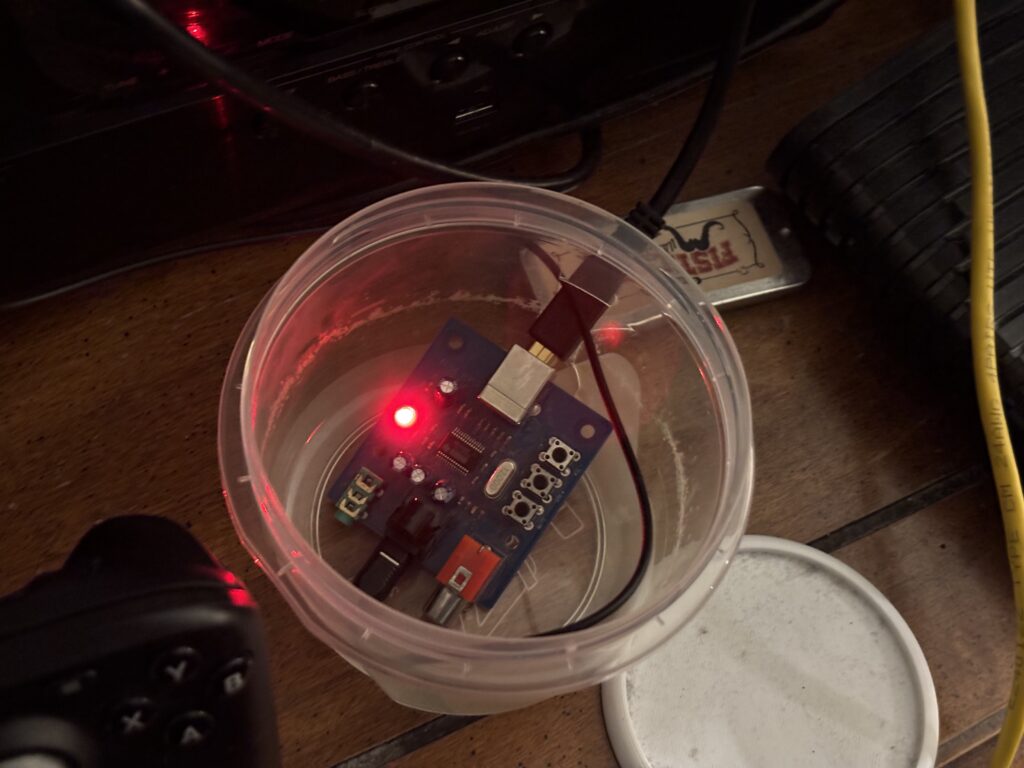
There’s this, if I ever want something better. But I have my own nice case, Tupperware. Had to use a steak knife, then scissors to make the hole. Would have been easier to just not have the lid completely closed.

Less likely to shock it, with it in there.

Where can the Hifime S2 Digi be bought in the US? The link above is a cheaper one, that can be shipped from US. But the Hifime S2 Digi does 192 kHz.

Need to get a hi res song, and see if it has any difference.

I put Bazzite on the Deck too. Don’t like SteamOS.

The on screen keyboard worked in the installer. Might need to click certain buttons to make it show. It just showed up in the installer.

Have to map it to something it looks like.

Mapped it to y.

Don’t plan on playing games @ 4k. Just needed it to do 4k 60hz, so it would be better then Atari VCS. Atari VCS can do 4k 60hz.

Still can’t play Just Cause 3 on it, for some reason. Works on desktop for some reason. Or did last time I opened it. I can stream it though.

#!/usr/bin/bash
sleep 5
QT_QPA_PLATFORM=wayland kscreen-doctor output.DP-1.addCustomMode.3840.2160.60000.reduced
sleep 5
QT_QPA_PLATFORM=wayland kscreen-doctor output.DP-1.mode.3840x2160@30
sleep 5
QT_QPA_PLATFORM=wayland kscreen-doctor output.DP-1.mode.3840x2160@60
sleep 5
QT_QPA_PLATFORM=wayland kscreen-doctor output.DP-1.scale.2.44167
sleep 5
brew services restart sunshine-beta

Better script, changing directly to 60Hz doesn’t work for some reason.

And turning the TV on, you might be greeted by a black screen. Moving the joysticks on game controller doesn’t wake it up either.

Well, TV woke up today. Sleep is disabled. But set to turn monitor off after 60 minutes.