openSUSE Tumbleweed was working on my Steam Deck

But now if I turn off the receiver, there’s no sound cards detected anymore.

I use optical from a USB sound card.

Now switching to slow roll on it, to see if that fixes it.

Switching to the LTS kernel, fixed nothing.

Maybe I should have put Debian on the Steam Deck.

I turn the receiver on obviously when wanting to listen to something. But still no sound cards.

Maybe KDE is crashing, cause the TV is off too.

Had to switch to LightDM to get auto login to Wayland working. Without manually logging in, and changing it to Wayland. Was fine, before updating it. I think.

And it might be fixed. Wonder which update broke that. Not the kernel. Maybe Pipewire or Wireplumber.

eGPU might finally be stable

Ended up downgrading the LTS kernel, it had another update today, and Bluetooth still doesn’t work.

Using 6.18.29-1-lts now.

I removed pcie_aspm=off from the kernel options. Added amdgpu.pcie_gen_cap=0x40000 to the kernel options, but might have been working fine, in modprobe.d/.

For some reason, dmesg says “2.000 Gb/s available PCIe bandwidth”.

But lspci -s 67:00.0 -vvv says:

LnkSta: Speed 16GT/s, Width x16
TrErr- Train- SlotClk+ DLActive- BWMgmt- ABWMgmt-

Well, guess ASPM is still disabled, maybe because of amdgpu.runpm=0.

ACPI FADT declares the system doesn't support PCIe ASPM, so disable it

Well, guess the laptop doesn’t support it. Or I disabled it in bios.

Thunderbolt Option Rom might need to be enabled for eGPU

I successfully watched a video, with VLC after enabling that.

thunderbolt.host_reset=false usbcore.autosuspend=-1 pci=nommconf pcie_aspm=off processor.max_cstate=1 idle=nomwait amdgpu.runpm=0 amdgpu.ppfeaturemask=0xffffffff

That might be all I need for my HP laptop.

But need to watch it again, to see if having LibreWolf open, somehow messes VLC up.

amdgpu 0000:6a:00.0: ring vcn_dec_0 timeout, signaled seq=4826, emitted seq=4828
amdgpu 0000:6a:00.0:  Process vlc pid 6024 thread vlc:cs0 pid 6040
amdgpu 0000:6a:00.0: Starting vcn_dec_0 ring reset
amdgpu 0000:6a:00.0: Register(0) [mmUVD_POWER_STATUS] failed to reach value 0x00000001 != 0x00000002n
amdgpu 0000:6a:00.0: Register(0) [mmUVD_RBC_RB_RPTR] failed to reach value 0x00000350 != 0x000002f0n
amdgpu 0000:6a:00.0: Register(0) [mmUVD_POWER_STATUS] failed to reach value 0x00000001 != 0x00000002n
amdgpu 0000:6a:00.0: Ring vcn_dec_0 reset succeeded
amdgpu 0000:6a:00.0: [drm] device wedged, but recovered through reset

That didn’t take long.

Not using Flatpak LibreWolf anymore either.

Or it can only play one video, right after logging in.

CoreCtrl is set to Automatic.

Well, VLC is the easiest way to test AMDGPU. And leave LibreWolf or any Firefox based browsers open.

Also, changing CoreCtrl to Advanced, and setting the minimum and max doesn’t seem to do anything. How is it 0 MHz, if I set to 500 MHz for minimum?

Doesn’t crash laptop, VLC just closes.

Testing 6.1.173-1-lts61 now, and plugged eGPU directly into laptop, and hub in other port.

According to Belkin, their shitty USB4/Thunderbolt hub, can’t be used with SSDs. I have a USB 3.x SSD plugged into it.

But if it can’t handle SSDs, probably not eGPUs either. Basically has useless Thunderbolt ports on it.

Could be the cable that eGPU was connected to hub with. Or some kind of incompatibility between hub and eGPU.

Guess I don’t need to keep using the charger the laptop came with. It’s getting power from hub.

Played the short video I recorded with my Insta360 two times so far, and no issues.

Might need to change the fan speed with CoreCtrl though, I like my fans loud, at least on GPUs.

What did the shorter cable come with? The hub? The eGPU?

Might need to buy another Insignia cable. Had some other USB4 compatible cable, could be that cable, no idea.

Video played three times without crashing.

I like Bluetooth, so I went back to 6.1, instead of trying 6.6. 6.12 also has no Bluetooth. At least in Garuda Linux.

Too lazy to downgrade the 6.18 kernel again.

6.1 might be more stable anyways.

Insignia cable is still $45, I think I’ll pass. I could just move the hub onto the desk anyways.

The USB ethernet adapter, is high quality. Unplug the cable, and the entire thing comes out of the shell. Might be the “Plugable” brand. I had a HD dock from them, that died. Replaced it with an Insignia.

Is the eGPU finally stable?

I removed all the amdgpu kernel options, then got the nice flip timeout.

Added “amdgpu.runpm=0” back.

Also, in CoreCtrl, I set the GPU to high for performance mode.

Make sure you reboot, after changing it to high performance mode.

Using 7.0.8-zen1-1-zen right now.

Linux LTS 6.18.31-1 has no working Bluetooth.

Found out why my Bluetooth doesn’t work in latest kernel

See here.

I rebooted, and had no Bluetooth in LTS kernel. It says I installed that yesterday though.

Well I downgraded the LTS kernel, and Bluetooth works again.

They back ported the feature to a bunch of kernels.

There should be new Arch Linux kernels soon. Checked their Git, and they published a patch for a newer kernel, with the fix.

Also, what happens if I “downgrade” to the newer version it shows in the downgrade script? Also, why doesn’t garuda-update upgrade to that version?

If Garuda Linux is delaying kernel updates, well no idea why they pushed the broken kernels.

For the AMDGPU, I’m trying amdgpu.msi=0 now.

I triggered another feature, by changing the performance mode. Set it to high, got the same timeout, and then changed to low, then it got a different feature. The other feature, somebody said using amdgpu.msi=0 might help.

Well, maybe it’ll stop the damn thing from timing out, when using Firefox. Not even watching a video, unless it’s an auto playing video. Then it’s just playing, with nobody watching it.

amdgpu: ring vcn_dec_0 timeout

Is the nice timeout. Off to the perfect site for testing AMDGPU and Firefox.

amdgpu 0000:6a:00.0: [drm] *ERROR* dc_dmub_srv_log_diagnostic_data: DMCUB error - collecting diagnostic data
amdgpu 0000:6a:00.0: amdgpu: Dumping IP State
amdgpu 0000:6a:00.0: amdgpu: Dumping IP State Completed
amdgpu 0000:6a:00.0: amdgpu: [drm] AMDGPU device coredump file has been created
amdgpu 0000:6a:00.0: amdgpu: [drm] Check your /sys/class/drm/card1/device/devcoredump/data
amdgpu 0000:6a:00.0: amdgpu: ring vcn_dec_0 timeout, signaled seq=286, emitted seq=288
amdgpu 0000:6a:00.0: amdgpu:  Process RDD Process pid 4551 thread browser 4 :cs0 pid 6442
amdgpu 0000:6a:00.0: amdgpu: Starting vcn_dec_0 ring reset

Didn’t take long.

The GPU in desktop is Powercolor too.

Do I need “amdgpu.runpm=0”?

At least it recovers.

Old kernel + old AMDGPU firmware

Maybe that’ll fix the AMDGPU driver crashing.

How come a 6650 XT is less stable then a 6750 XT?

Restoring my tabs after rebooting, didn’t cause it to crash yet.

Need hardware acceleration in Librewolf, otherwise scrolling is laggy.

I downgraded to 20251125-1 for the linux-firmware-amdgpu.

Some old post said that version works. It’s an old GPU anyways.

Went back to the site, that crashed AMDGPU, and it crashed again. Turned laptop off for now. Maybe I should increase the power back to 157w, and/or decrease the max frequency for the GPU.

Now to see if that site crashes my desktop too.

Doesn’t look like desktop is using Flatpak for Librewolf. But if Flatpak is causing AMDGPU to crash, what’s the point in using Flatpak?

Looks like the latest kernel, Bluetooth doesn’t work with on my laptop. Too lazy to fuck with it, to try and get Bluetooth working. Now trying the latest LTS version.

hci0: Failed to send wmt func ctrl (-22)

I also removed amdgpu.ppfeaturemask=0xfffd3fff from my kernel options.

And disabled CoreCtrl from managing anything in it. Guess if it doesn’t crash anymore, I can remove CoreCtrl.

The Mecha Comet site, is good for testing AMDGPU + Firefox based browsers.

Probably won’t buy that though. No 5G. T-Mobile will likely shutdown 4G someday.

But, I could use it without cell service. I originally wanted to make something like that with my Raspberry Pi 5.

And it successfully reset the GPU. That’s why it froze for a second.

Now I got to shit. Maybe it’ll freeze up doing nothing.

Laptop seems faster, after updating bios

Was thinking in the past, that I shouldn’t have updated the bios. And I probably shouldn’t have updated it to begin with.

They add unwanted features to new bios. Then you have to keep updating, until they remove the unwanted features.

And I doubt PSP can be disabled on this HP laptop. They call it a “security” feature.

Trying the 6.6.138-1-lts66 kernel now. Don’t think I tried the LTS 6.6 kernel.

Ubuntu says this laptop works with 6.8, but that isn’t an LTS version. That would be an unsupported version now probably.

And the bios version they say works, is different then what I have. But it might be a different region model.

Also, says some of them come preinstalled with a custom Ubuntu image, and may not work at all with the official Ubuntu image.

Should have got the Frame.work laptop, for about the same price.

Could get a refurbished one for $729 or so. Take the RAM and SSD out of this one. But, not sure how well Linux works on that either. I saw on their forum, people were having issues with Linux on it, and not even using an eGPU.

But can PSP be disabled on it? Can the iGPU be disabled in the bios? Might be a bummer, if the eGPU stopped working though. Might have to open laptop, and remove CMOS battery.

And the bios update, may have added a new feature.

“AMD-Vi: Completion-Wait loop timed out”

Or the LTS 6.6 kernel has that issue. And 6.1 doesn’t.

Haven’t gotten that yet with LTS 6.1. Did disable the Thunderbolt option ROM setting in the bios. Don’t think that did anything for that though.

According to the AI, I don’t need that enabled. Booting from Thunderbolt, and it might be needed.

Linux LTS 6.1 kernel not more stable

[drm:amdgpu_job_timedout [amdgpu]] *ERROR* ring gfx_0.0.0 timeout, but soft recovered
[drm:amdgpu_job_timedout [amdgpu]] *ERROR* ring gfx_0.0.0 timeout, signaled seq=6663989, emitted seq=6663992
[drm:amdgpu_job_timedout [amdgpu]] *ERROR* Process information: process kwin_wayland pid 24064 thread kwin_wayla:cs0 pid 24094

Switched to the main LTS kernel, which is 6.18.29-1-lts.

Also added another kernel option, and disabled zram again. The correct way to disable zram, is by copying the zram file from /usr/lib/systemd, to /etc/systemd, and commenting everything out. If you edit the /usr/lib one, it’ll change back after upgrading.

thunderbolt.host_reset=0 usbcore.autosuspend=-1 pci=nommconf pcie_aspm=off processor.max_cstate=5 idle=nomwait amdgpu.runpm=0 amdgpu.ppfeaturemask=0xfffd3fff

There’s the options I added to Grub.

Also, disabled some PSPP thing in the bios. Somebody said something about disabling PSP. What about PSPP?

Last time I tried disabling that, I couldn’t boot the OS. Probably was an OS problem.

No need for the all-ways-egpu script either.

cat /etc/environment
RADV_PERFTEST=dmashaders
MESA_VK_DEVICE_SELECT=1002:73ef

cat ~/.config/plasma-workspace/env/gpu.sh 
#!/bin/bash
export KWIN_DRM_DEVICES=/dev/dri/card1:/dev/dri/card0

Changing the kernel, changed it from card0 to card1.

The all-ways-egpu script wasn’t working, so I removed it.

All that info was found from the Arch Linux wiki.

Also, can I put the gpu.sh in /etc/environment?

Also, don’t set DRI_PRIME to 1, if changing the KWIN_DRIM_DEVICES. Then 1 is the iGPU.

Don’t forget to disable hardware acceleration in any Firefox based browsers.

amdgpu 0000:0a:00.0: amdgpu: ring vcn_dec_0 timeout, signaled seq=55, emitted seq=57

Got that and my laptop rebooted itself.

Well, the PSU wasn’t the problem. Maybe new PSU is somehow worse.

Which kernel works without AMDGPU crashing?

Apparently, the AMDGPU driver might sometimes use higher clocks, then advertised by the manufacture of the card. According to this.

I changed the max to the advertised max.

And then read here, that said to use amdgpu.ppfeaturemask=0xf7fff.

No idea what the URL to where I read that is, it was some issues for something. Done searching my history to find a link though.

Maybe that’s why I had stuttering in at least one game on my desktop. Don’t play that game anymore though.

I just set the power limit back to 143w.

I can increase it to around 150w, but somebody said the RAM needs power too, and that’s only whatever the core power is. How much power does the RAM need?

Think the 6650 XT uses 176w max. Increasing the power limit, could potentially make it unstable.

I did the same thing on my desktop, set the max to the advertised max. Didn’t use that amdgpu.ppfeaturemask though.

Oh yeah, I need to enable hardware acceleration in LibreWolf. To see if doing any of that fixes, that.

Maybe use a newer LTS kernel too.

Didn’t take long to crash. Can still get in TTY though, then I rebooted. Then I didn’t restart the browser fast enough, and it crashed yet again.

Found another problem, the port the charger is plugged into, might matter. The dock may or may not provide enough power.

The light by one port was blinking orange, so plugged charger into it, and dock into other port, blinking orange light is gone.

Don’t know if that’s the cause of AMDGPU crashing though. Went back to the 6.1 LTS kernel.
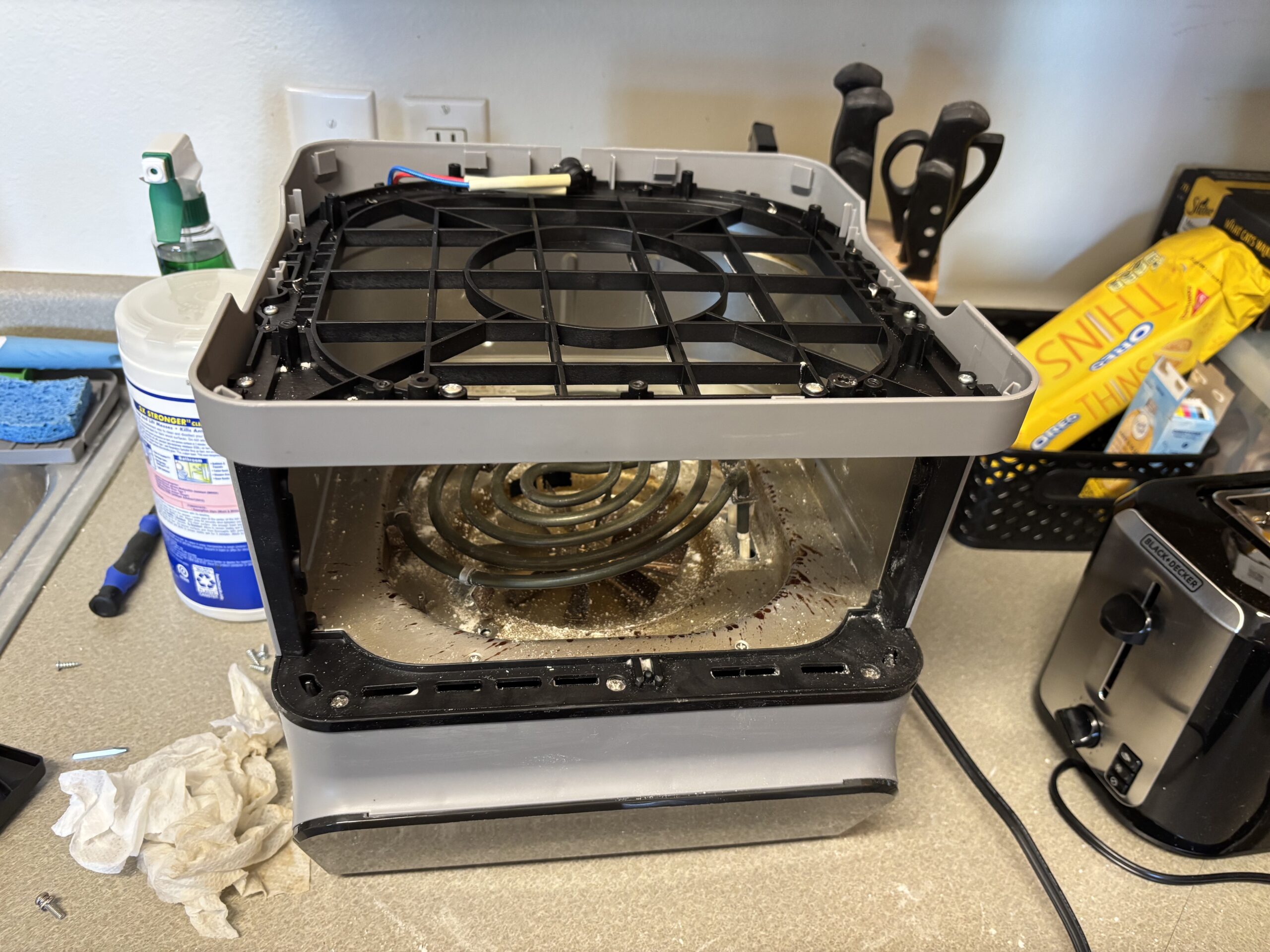
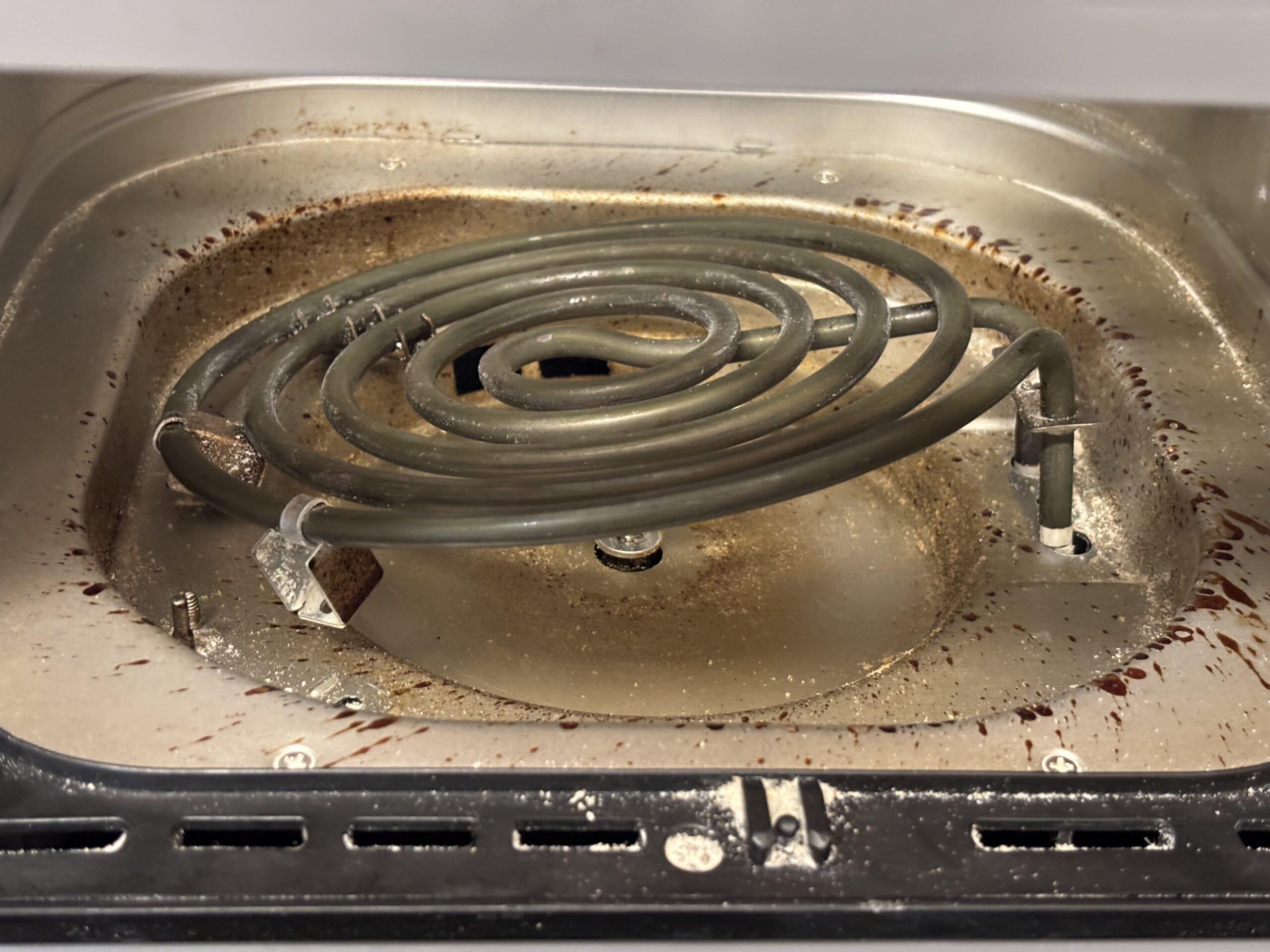
Goodbye Air Fryer

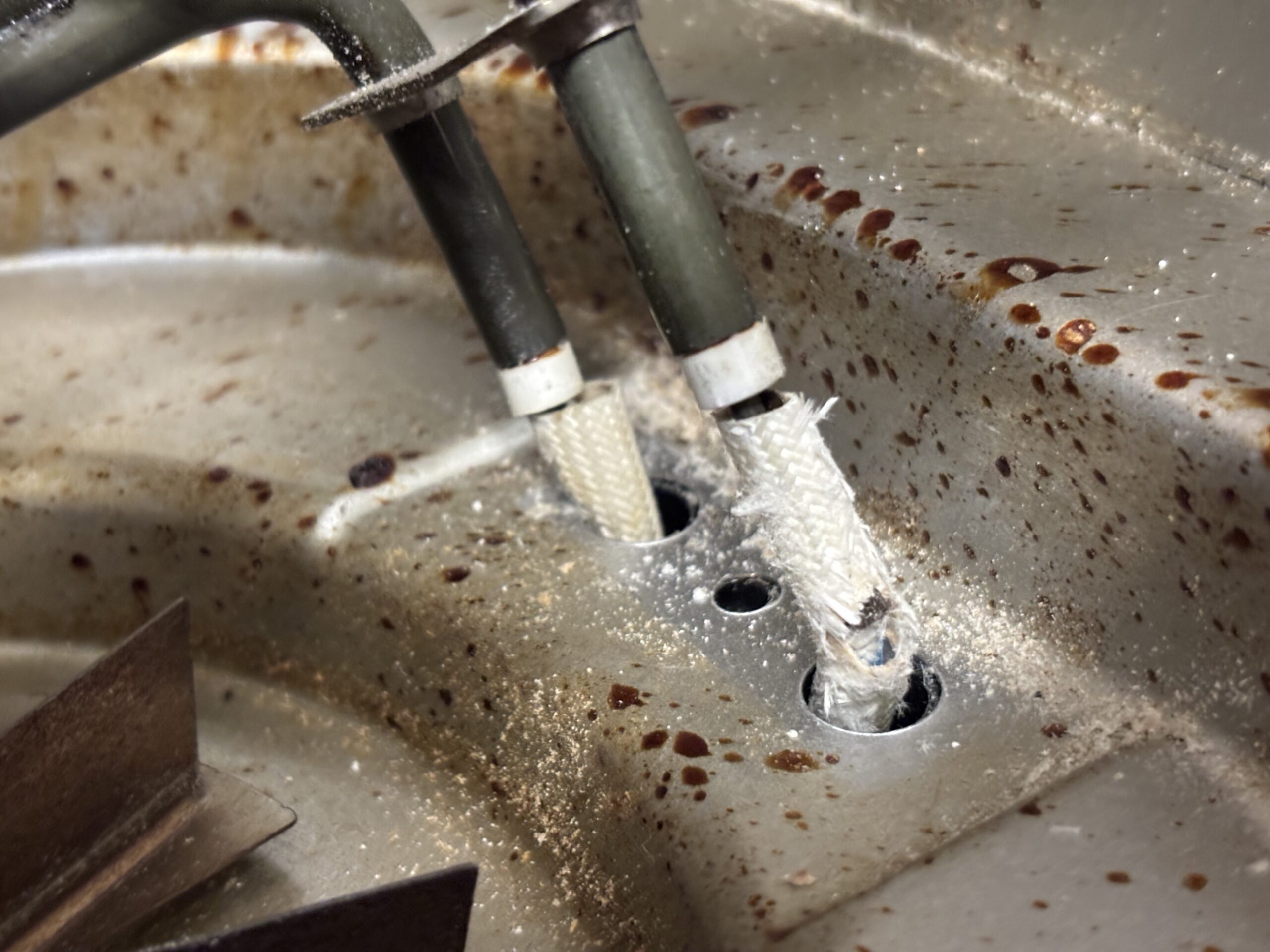
I tried cleaning the inside of it with a baking soda paste. But had to take it apart to try and get all the baking soda paste out. Didn’t want to spend anymore time cleaning it, or putting it back together.

The nut for the fan wouldn’t go back on. Didn’t want to spend all day cleaning it and putting it back together, so I got rid of it.

Baking soda paste did get some of the crap off.

A better solution, wipe the air fryer down inside, and on the top before it gets horrible.

I might replace it with a Ninja Flip. Probably easier to clean the inside of that. It’s an oven shape. And probably don’t need to put it upside down to clean it.

Guess I didn’t know air fryers needed to be cleaned on the top.

Also, you have to be careful, cause water fries electronics.

Costco has a Ninja flip for $10 less then $200. The one some site recommended is $250, Walmart is out of stock for $150.

Guess the Flip isn’t easy to clean. Too expensive to find out.

The glass one might be easy to clean, but apparently the temperature can’t be set. It only has presets.

Maybe a bigger Instant Pot that does air frying. Mine does, but the basket is kind of small. Too lazy to cut frozen stuff in half. And won’t completely solve the problem anyways.

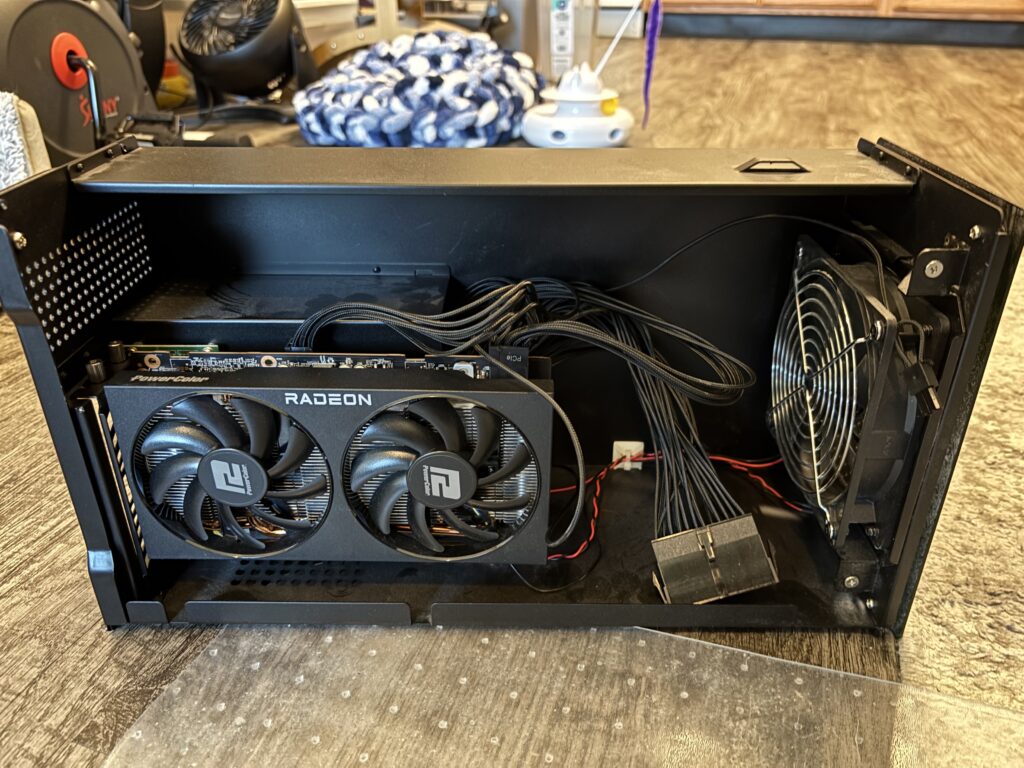
AKiTiO Node PSU upgrade

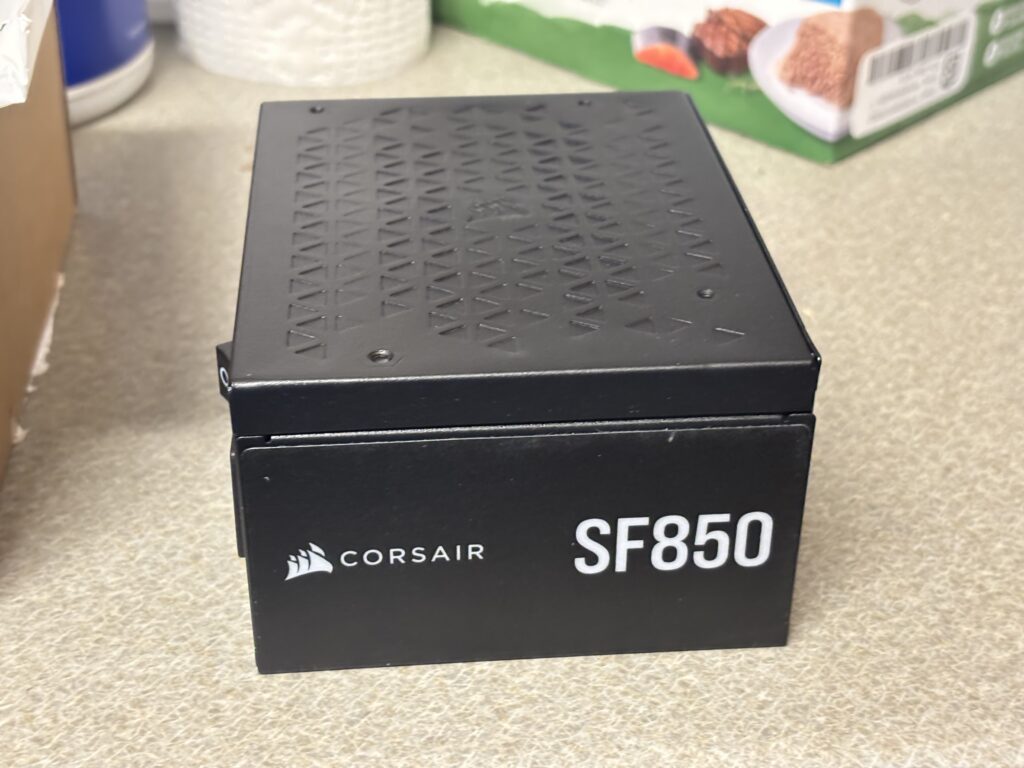
Put a refurbished Corsair SF850 in it, bought directly from Corsair. Better deal then buying a new SF750 or whatever.

Also, got an overpriced PSU jumper bridge thing.

The Alphacool Core ATX 24-Pin PSU Jumper. At least I’ve heard of Alphacool, think I had a AIO CPU liquid cooler from them.

Can’t do it in lap though, at least not screwing the PSU down. It works better with a flatter surface, I used the floor. Easier then clearing a table off.

One thumb screw was a pain to get on the GPU, and one on the back as well. The one on the back finally screwed down, after slowing down.

The green light on back is gone. But there’s a blue light on front.

Must have plugged it into a different port on dock, cause I had to run all-ways-egpu to get a picture on the monitor.

A longer GPU would fit in there. But I won’t buy a new GPU, prices to high nowadays. And Intel ARC GPUs, the fan can’t be controlled from Linux. I don’t want a 0db fan, that means it’ll be off. And if the fan curve has an issue, it’ll get toasty.

I could put t he GPU from desktop in it, but too lazy.

Also, a can of air, doesn’t blow caked on dust. So I just left the caked on dust. The GPU wasn’t very if at all dusty. Bunch of dust on the outside of the enclosure, that I got off with a duster.

Maybe the GPU will be more stable, with a better PSU. Last freeze, might not have been because of the eGPU though. That might have been a kernel “feature”.